
CodeCanary, our AI product engineer, is also our product engineer. We use CodeCanary to find bugs, monitor our onboarding conversion, and identify high value leads. This has led to CodeCanary improving itself by fixing bugs in its own onboarding while we (literally) were sleeping.
How does CodeCanary work?
CodeCanary is an agent that lives in Slack and uses your product analytics, session replays, and your codebase to:
- Detect and fix bugs
- Identify conversion bottlenecks and implement A/B tests
- Track the behavior of high value leads and customers
- Answer any other question that involves your product analytics, either ad-hoc or on a schedule
You can configure how any of these automations run—from the frequency, to the sensitivity, to the type of patterns you want to watch for.
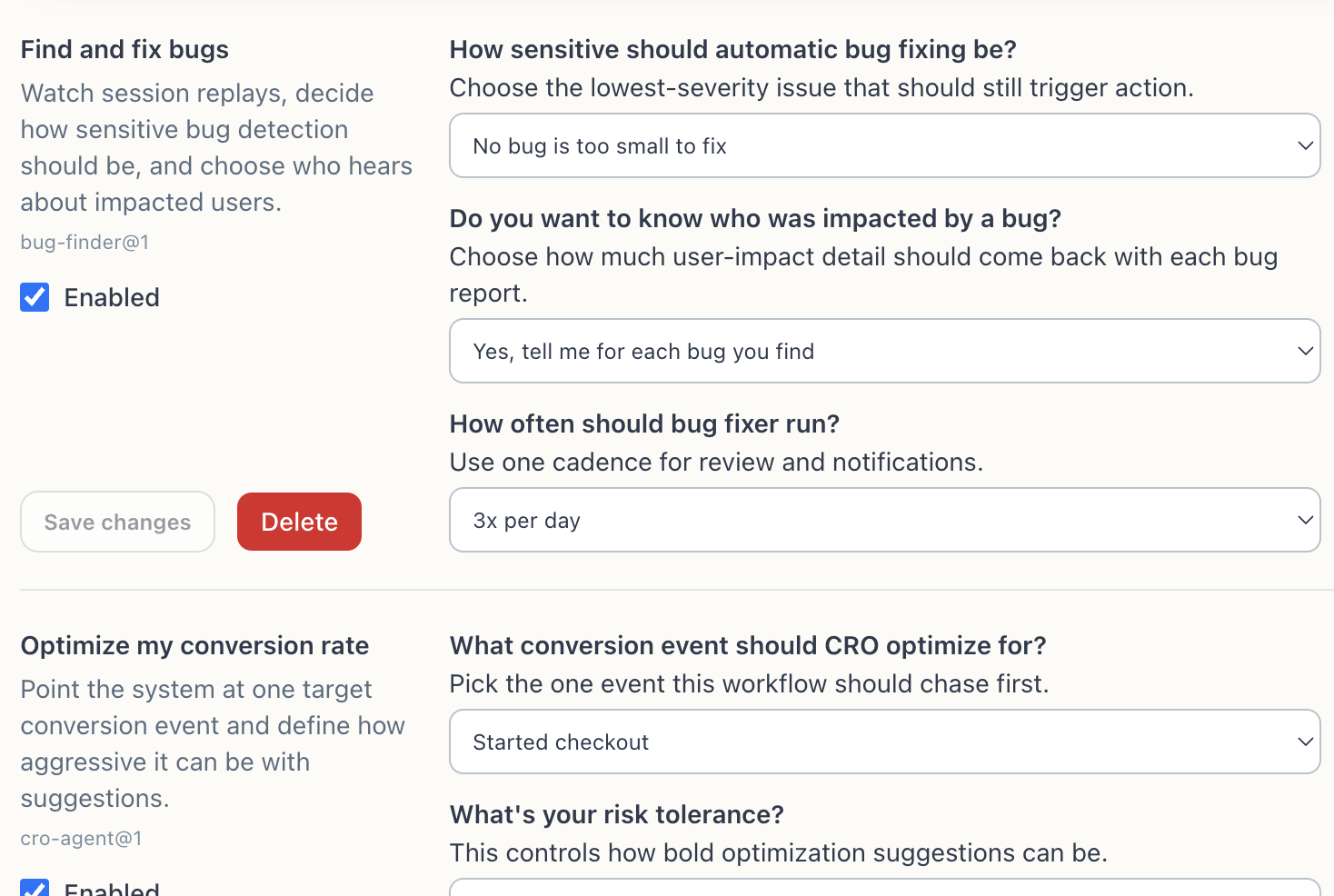
CodeCanary fixed CodeCanary while we slept
We created a bug in our onboarding
When you onboard to CodeCanary you create the automations that determine what the agent alerts you to and what it fixes. Once you go through the process of creating an automation, you are prompted to create an account.
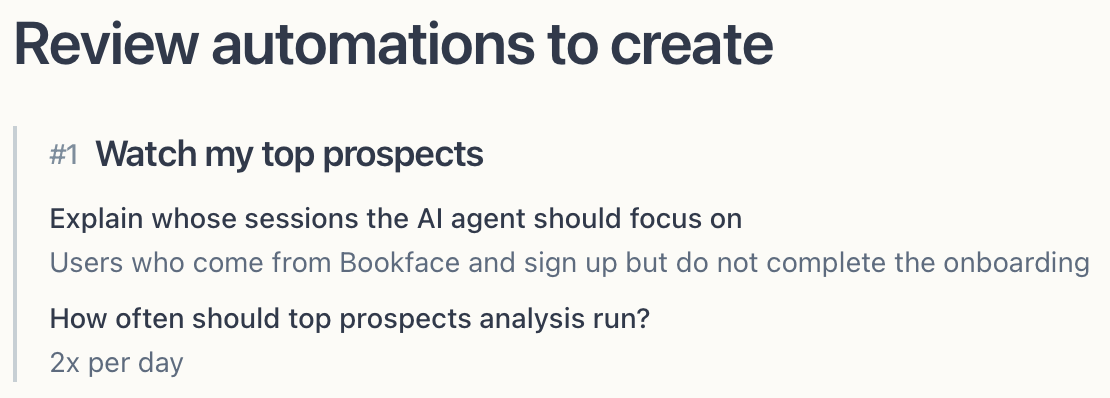
Little did we know that when you authenticated you lost all your progress from that automation and were sent back to step 1. A user then experienced this bug, and was captured in a session replay.
CodeCanary watches all session replays for bugs using an LLM, which lets it spot bugs before we even knew about it.
CodeCanary fixed the bug
We configured CodeCanary to watch our session replays for bugs and submit a PR if it thinks it's found one. At 3:37 AM, while Brendan and I were fast asleep, CodeCanary was watching bugs and spotted the progress reset.
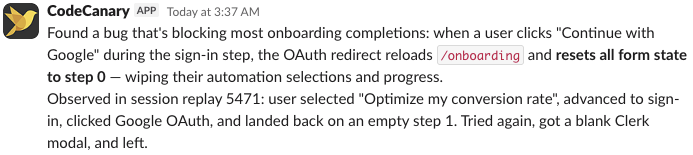
After finding the bug, it proposed a fix and sent a PR.

When we woke up we saw the PR, shipped it, and our onboarding was a bit better for effectively no work.
How can I use CodeCanary?
If you use PostHog you can start using CodeCanary in less than 5 minutes.